Skip to content

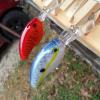
H2o express swimbait

Featured Replies

I picked up a few h2o express 4 1/2" swimbaits this weekend. I have reaearched on here they are ok but not great, but its a start. I am planning to change out the hooks to kvd's. I am weighing them tonite on my wifes food scale to know the weight to see whaick rod will handle them best. 

 Here is my actual question. What is the best way to retreive them? Is it more of a steady retreive or a popping motion like a jerkbait? 

I use them occasionally. 

I use a stop and go retrieve most of the time. give a few turns of the reel then let it sit a few seconds.

you can also use as a steady retrieve like a crankbait.

for the price they have a decent swimming action.

I have the 3.5 inch size. They cast well on a medium action spinning rod.

I don't use a fast action rod with these baits.

if a bass jumps, they can spit it pretty easy with a stiff rod.

  • Author

I weighed them earlier. About 1.5oz each. So i will probably be throwing them on my deep crank rod i use for 10xd's. 

  • Global Moderator

Use a straight retrieve, usually a pretty fast one. They're a decent bait for the money but there's a lot of much better options to be had without breaking the bank. 

Join the conversation

You can post now and register later. If you have an account, sign in now to post with your account.
Note: Your post will require moderator approval before it will be visible.

Guest
Unfortunately, your content contains terms that we do not allow. Please edit your content to remove the highlighted words below.
Reply to this topic...

Recently Browsing 0

  • No registered users viewing this page.

Important Information

We have placed cookies on your device to help make this website better. You can adjust your cookie settings, otherwise we'll assume you're okay to continue.

Account

Navigation

Search

Search

Configure browser push notifications

Chrome (Android)
  1. Tap the lock icon next to the address bar.
  2. Tap Permissions → Notifications.
  3. Adjust your preference.
Chrome (Desktop)
  1. Click the padlock icon in the address bar.
  2. Select Site settings.
  3. Find Notifications and adjust your preference.