Skip to content

Need Picture taking advice

Featured Replies

Again, if this is in the wrong forum, please move it.


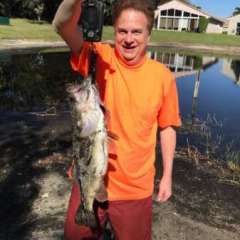
I'm going fishing by myself.  If I land any nice size Bass, I'm going to want to take a picture of the fish while it hangs on the scale, before I release it.  I'd like the picture to show the entire fish, as well as the digital readout.  My iPhone is my camera.  I've tried this before with big bluefish and was never able to get everything in focus.


I'm going to be in a skiff with two poles and a lot of tackle.  Is there some way to quickly prop up the scale somewhere, with the fish hanging, so I can use my full resources to take a good picture?


Thanks

  • Super User

I have a selfie stick mounted on my boat. It's in a position where it will take a correctly framed picture as long as I'm sitting in the seat. I put the fish in a landing net in the water while I'm putting the camera on the camera mount. I never weigh a fish so I don't use a scale. I hit the 10 sec timer, grab the fish & pose.

Practice at home in the driveway sitting in the seat and positioning the camera and taking a few shots so you know how to set it up on the water. You should be able to buy a remote to control the shutter on the iPhone.

  • Super User

Or bring tripod with you, set up with go pro or some sort. That way you can have both video and images (snap shot from video). But I doubt you can read the scale with whole fish in the picture unless you taking a high res picture and zoom only to scale display.

Join the conversation

You can post now and register later. If you have an account, sign in now to post with your account.
Note: Your post will require moderator approval before it will be visible.

Guest
Unfortunately, your content contains terms that we do not allow. Please edit your content to remove the highlighted words below.
Reply to this topic...

Recently Browsing 0

  • No registered users viewing this page.

Important Information

We have placed cookies on your device to help make this website better. You can adjust your cookie settings, otherwise we'll assume you're okay to continue.

Account

Navigation

Search

Search

Configure browser push notifications

Chrome (Android)
  1. Tap the lock icon next to the address bar.
  2. Tap Permissions → Notifications.
  3. Adjust your preference.
Chrome (Desktop)
  1. Click the padlock icon in the address bar.
  2. Select Site settings.
  3. Find Notifications and adjust your preference.