Skip to content

Lowrance Hook 7 DI, Grpah, GPS combo issue

Featured Replies

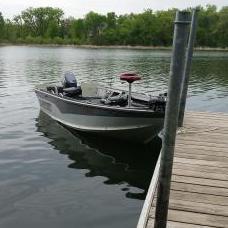
Good afternoon guys, first I want to say that this forum has an incredible amount of knowledge and I have used it a bunch to learn different techniques.  So here's what I dealing with, the hook 7 was purchased in April last year by the previous owner of the boat.  I bought the boat last fall and was able to use it several times and the graph worked great, now that I have installed the new software the screen has been freezing on me when I'm out fishing.  Usually it happens after fishing for an hour or so and the screen will lock up for several minutes, it does this if I'm running across the lake at 30mph or if I'm just using the trolling motor.  I'm mainly just running the graph and the maps (it has the insight pro 15 HD map chip) in split screen.  I'm going to try to reinstall the new software, but not sure if that's going to fix it or not.  It does have a 3 year extended warranty and was purchased through Mills Fleet Farm, so I might have to send it in.  What are your thoughts?  The battery is new and at 12.5-12.8volts

  • Super User

My thoughts are that you should be contacting Lowrance about issues you are having.

Join the conversation

You can post now and register later. If you have an account, sign in now to post with your account.
Note: Your post will require moderator approval before it will be visible.

Guest
Unfortunately, your content contains terms that we do not allow. Please edit your content to remove the highlighted words below.
Reply to this topic...

Recently Browsing 0

  • No registered users viewing this page.

Important Information

We have placed cookies on your device to help make this website better. You can adjust your cookie settings, otherwise we'll assume you're okay to continue.

Account

Navigation

Search

Search

Configure browser push notifications

Chrome (Android)
  1. Tap the lock icon next to the address bar.
  2. Tap Permissions → Notifications.
  3. Adjust your preference.
Chrome (Desktop)
  1. Click the padlock icon in the address bar.
  2. Select Site settings.
  3. Find Notifications and adjust your preference.