Skip to content

Well The Datyona 500 Just Got A Little Weirder.

Featured Replies

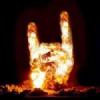
First there was a second lap crash. A few engine blowing up. Now monyta breaks some thing and hits the jet blower. Of course the jet blower gos up in flames. I am sitting here watching jet fuel run down the banking while its on fire. By this time I am laughing at the safety officials trying to put out a jet fire with fire extinguisher's and water.

So I call my firefighter buddy and told him to turn on the race. All I hear is him laughing. You would figure with all the jet blowers NASCAR uses they would have a truck full of foam for some thing like this.

Any way the have the fire out and every one involved is OK. NASCAR is just making sure the track is ok to race. The track was on fire for about 5 minutes. So they want to make sure they don't have a other 2010 race.

  • Super User

Montoya has hit everything else , he was just trying to be perfect.

I'm sure they have foam on some of the BRTs, but it was funny watching the NASCAR officials trying to put it out!

Montoya has hit everything else , he was just trying to be perfect.

I was just thinking the same thing. Montoya has hit everything else on the track, he was just going for it all. LOL

Join the conversation

You can post now and register later. If you have an account, sign in now to post with your account.
Note: Your post will require moderator approval before it will be visible.

Guest
Unfortunately, your content contains terms that we do not allow. Please edit your content to remove the highlighted words below.
Reply to this topic...

Recently Browsing 0

  • No registered users viewing this page.

Important Information

We have placed cookies on your device to help make this website better. You can adjust your cookie settings, otherwise we'll assume you're okay to continue.

Account

Navigation

Search

Search

Configure browser push notifications

Chrome (Android)
  1. Tap the lock icon next to the address bar.
  2. Tap Permissions → Notifications.
  3. Adjust your preference.
Chrome (Desktop)
  1. Click the padlock icon in the address bar.
  2. Select Site settings.
  3. Find Notifications and adjust your preference.