EZcorer
New Member
-
Joined
-
Last visited
-
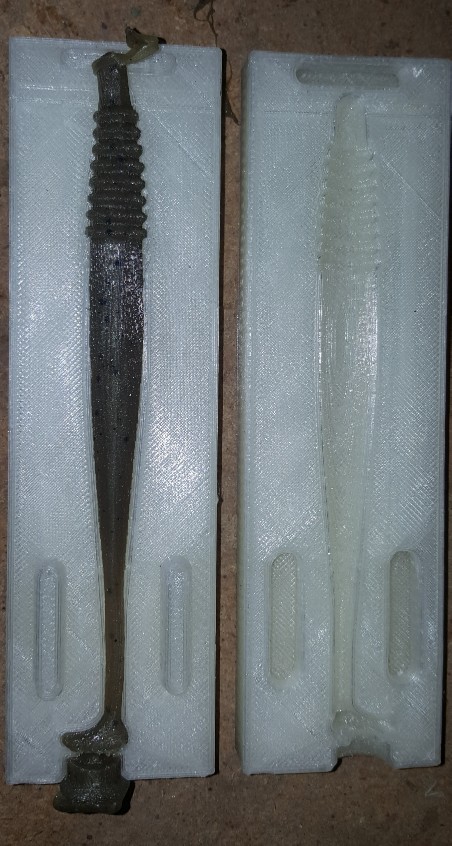
OK, i see what you are looking at i think, at the top of the picture? that is what ran in to the vents. the bottom is the injection point. Hmmmmm.............. let me see what i can do, that might be too big for my printer. So far they have held up pretty good. i have not had one warp from the heat, you do have to take some precautions with the printed molds. i have a fan blowing on them when i demold and in between shots. the only heat you need to worry about is leaving them in a hot work shop, then they have a chance of warping. wylder
-
Yep I do all the design work. I draw the bait split it in half then turn them into a mold, I just start with a blank screen and go to town! I am using PLA filament, it is very stiff when printed. The temperature it is printed at is over 400*F. A friend of mine has been using a 2 cavity swim tail worm mold I printed for him over 75 times that I know of. he has a fan blowing on it between injections. wylder
-
amazing stuff!
-
Whaaaaaaaaaaaat....... that is crazy awesome! I just watched a youtube vid about it. i have never even heard of that stuff, thanks for sharing! wylder
-
-
-
-
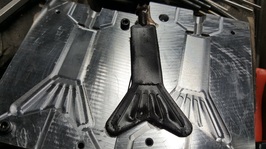
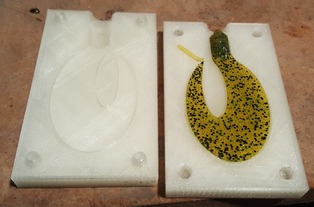
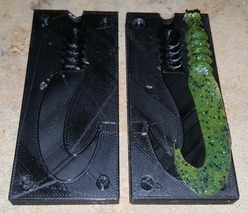
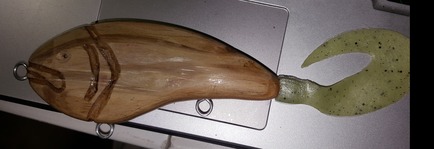
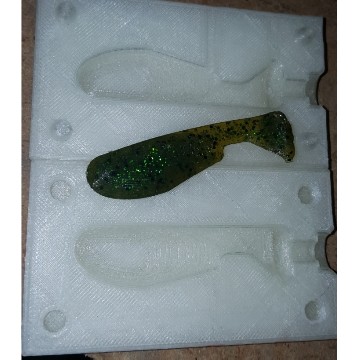
howdy yall! I was talking with a guy I work with about a mold I cut on my CNC mill at work. The mold was a tail for a swim bait he is working on, it turned out great! so I was wondering why not just print one on my 3D printer! I did a few quick designs and printed them out. It works GREAT!! you can go from design to water in a day! I have attached a few pics, the aluminum tail mold and then one of a jig body (black mold) and the other (white mold) is a tail i am going to use on a crank bait I'm working on. Let me know what yall think!