Skip to content

High Position On Cuda 12

Featured Replies

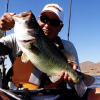
After approx. 55 hours on the water in the Low position on my Cuda 12, I thought I was ready for the High Position. It is more "Tippy" but nothing too bad. I kept telling myself to keep my head in line with the center line of the kayak and everything worked out fine. There are advantages with sitting higher, like being able to cast a Carolina rig, being able to see the fish better and my legs felt more comfortable. I also felt like I paddled better with my 240 cm paddle. There is also more room to store tackle and other items under the seat. Not that you really need to because the center hatch is so big you can store all sorts of things in there. Since it's under the waterline, I feel the more stuff you put in there the more stable the Cuda 12 becomes. I also like having all my bait and tackle right in front of me but out of the way. I was worried about what would happen when I caught a fish from the High position but I was fine. Watch my GoPro video if you want to see how stable the Cuda 12 is with me paddling and catching Bass. 


http://www.youtube.com/watch?v=pnxbxVuJID4

Yeah i have one also. I discovered while on a float trip how much more stable it is with items down inside of the kayak. I store all my lures down inside the center hatch.

Join the conversation

You can post now and register later. If you have an account, sign in now to post with your account.
Note: Your post will require moderator approval before it will be visible.

Guest
Unfortunately, your content contains terms that we do not allow. Please edit your content to remove the highlighted words below.
Reply to this topic...

Recently Browsing 0

  • No registered users viewing this page.

Important Information

We have placed cookies on your device to help make this website better. You can adjust your cookie settings, otherwise we'll assume you're okay to continue.

Account

Navigation

Search

Search

Configure browser push notifications

Chrome (Android)
  1. Tap the lock icon next to the address bar.
  2. Tap Permissions → Notifications.
  3. Adjust your preference.
Chrome (Desktop)
  1. Click the padlock icon in the address bar.
  2. Select Site settings.
  3. Find Notifications and adjust your preference.