Skip to content

Need Some Help!

Featured Replies

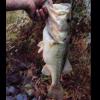
I fish a 37 acre lake and they stock it with rainbow trout and I've been suspecting the bass eat them and today was proof I was talking to a guy who caught a 5-6 pound bass that had a rainbow trout deep in its throat only the tail sticking out. He even showed me pictures. What should I try? How long do trout live in a stocked lake? the stocked trout are about 10-12 inches and some are bigger.

Sounds like you need to get into swimbaiting...

  • Author

Haha that's what I thought

  • Author

How many inches is that and how much?

Huddleston Deluxe 68 Special- Rainbow trout

  • Super User

Match the Hatch!


As shown above, try to mimic the baitfish in color, profile and size.


Good luck.

  • Author

What kinda set up do u use for. 8 inch swimbaits

  • Super User

Need a 8" Huddleston or Savage Gear Line Thru.....the Savage Gear is a little less expensive.  Pro Cure Rainbow Trout sent, here is the cost effective swimbait set up. I have 2 of them btw.  Go to BPS or go online, order the 7'6" Graphite Musky Rod H, a Cardiff 300, some 40lb power-pro, topshot of P-line CXX 25lb or FC about 15ft long and leave the rest of the gear at home and go fishing. 

8 inch huddleston-Rainbow trout color! :) :) :)

Join the conversation

You can post now and register later. If you have an account, sign in now to post with your account.
Note: Your post will require moderator approval before it will be visible.

Guest
Unfortunately, your content contains terms that we do not allow. Please edit your content to remove the highlighted words below.
Reply to this topic...

Recently Browsing 0

  • No registered users viewing this page.

Important Information

We have placed cookies on your device to help make this website better. You can adjust your cookie settings, otherwise we'll assume you're okay to continue.

Account

Navigation

Search

Search

Configure browser push notifications

Chrome (Android)
  1. Tap the lock icon next to the address bar.
  2. Tap Permissions → Notifications.
  3. Adjust your preference.
Chrome (Desktop)
  1. Click the padlock icon in the address bar.
  2. Select Site settings.
  3. Find Notifications and adjust your preference.