Skip to content

Fish photography.....

Featured Replies

The problem with this is the motion.  Great pic of the tree, but it's a tree and is still.  No matter how steady you are, you will be in a moving boat. (rocking, floating,etc)  Very tough to not blur that shot.  I don't think my camera is capable (fuji s5600)

I realize it will be difficult - - but methinks an experiment is in order.... ::)   to be continued........(of course, I get to use my little tripod.....that's a given..)

  • Author

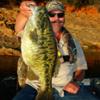
Ya' know Rolo, don't get me wrong, I think both the Nikon D70, and the Canon XTi are both great cameras...... But I think DSLR's are better suited for straight up "scenic" or "special effects" photography, rather than for self taken fish photos.

I have a {very sharp} buddy, who's wife recently took some great fish photos of him / for him, with his Canon XTi, but he has yet to figure out how to take good "self photos" with it. Problem is, even with the self timer set, the camera focuses the second he hits the shutter button...... and NOT when he sits back and poses with the fish. Yes, there are ways around this, but I just think it would be easier for a "fisherman" {who is not a straight up photographer} to use a nice quality point and shoot, like my Fuji S7000 or a Canon S3 Pro.

Just MPO,

Peace,

Fish

Join the conversation

You can post now and register later. If you have an account, sign in now to post with your account.
Note: Your post will require moderator approval before it will be visible.

Guest
Unfortunately, your content contains terms that we do not allow. Please edit your content to remove the highlighted words below.
Reply to this topic...

Recently Browsing 0

  • No registered users viewing this page.

Important Information

We have placed cookies on your device to help make this website better. You can adjust your cookie settings, otherwise we'll assume you're okay to continue.

Account

Navigation

Search

Search

Configure browser push notifications

Chrome (Android)
  1. Tap the lock icon next to the address bar.
  2. Tap Permissions → Notifications.
  3. Adjust your preference.
Chrome (Desktop)
  1. Click the padlock icon in the address bar.
  2. Select Site settings.
  3. Find Notifications and adjust your preference.