brant7171
New Member
-
Joined
-
Last visited
Everything posted by brant7171
-
The Topo Maps option is just USGS topo maps - helpful sometimes but click the Depth Contours option to see just the contours if they have them.
-
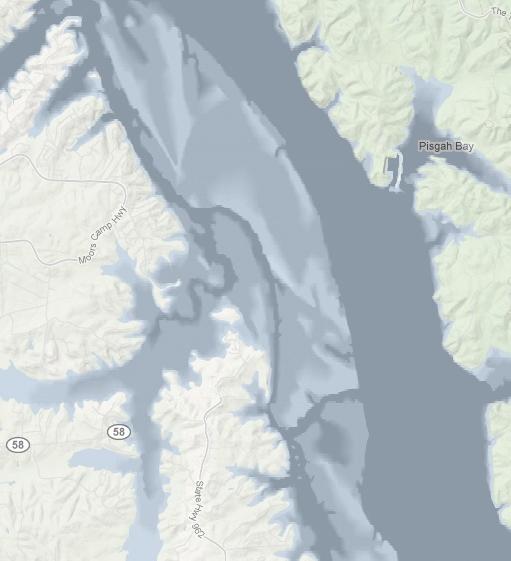
I don't know where you are fishing but check out angling technologies mapper. Click the layers tool and then click depth contours or depth profiles. If nothing shows then they don't have depth data for your lake but if something does show then you can see channels and points and other structure before you head out. The depth profiles feature has recently changed I see and really makes depths stand out for places like kentucky lake.
-
Yeah - gotta remember the "-" for longitude. Do a search for earthpoint and click their coordinate converter link. I use it for converting coordinates so they work with whatever site I'm using. Google is nice because you can enter almost any format and it will give you back a result. Everything other site I've used has a specific format that you have to enter correctly to get a result. All sites though should put a marker in the map to show your result.
-
I've talked to these guys. Angling Technologies has maps for all kinds of waters, big, small, lakes, ponds, bays, etc. It depends on where they find map data. If you want something write them and ask. I asked for Mozingo Lake in Missouri (which is a small lake) and they added it. If you turn on contours and nothing shows it means they have not added contours for that water yet but you can use USGS topos on the site to see if that data has contours. Even if they don't have contour data you can still use their tools to add your own text to the map or waypoints of places to fish and then print the maps to take with you which I do for rivers. I just wish it was a bit faster.