


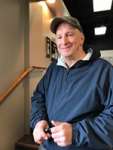
Tom Hardman
New Member
-
Joined
-
Last visited
-
Triad Bass Anglers is seeking boaters to help expand our fast growing membership. ALL fishermen are welcome, but we need boaters to pair with non boaters. Please contact Micheal Belter at 336-552-4312, or email mbelter@rock.k12.nc.us. Our next event is Tuckertown Lake. Come join us on July 24th.
-
Hello, my name is Tom and I live in Greensboro, NC. I'm interested in finding a fishing buddy, boater or non-boater in a 10-20 mile radius of the Triad. If you have a boat I'm willing to pay half on gas and the launch fee. If you don't have a boat then we can share a rental, or do bank/pier fishing. I don't like fishing by myself. I've fished in many of the local lakes here around Greensboro. I've also fished Jordan Lake, Falls Lake, and Gaston Lake. I was part of a bass club when I fished Gaston Lake, and went out with a friend on his boat. The weather wasn't right on that day, so we didn't catch anything. I still had fun though. I want to fish on Randleman Lake someday soon. So give me a call or email me here. 336-543-4134
-
Hello, I'm Tom. I'm getting back into bass fishing after years of saying I'm goin to do it! I'm looking for a fishin buddy in the Triad area of NC. That's Greensboro/Winston Salem Area. I do mostly pier and bank fishing, or rent a boat at the marina. In 2009, I fished Gaston Lake with a boater friend. I've fished Jordan Lake from the bank (didn't catch anything, but it was fun). I've also fished Falls Lake, and here local.. I've fished Higgins, Townsend Lakes. Get up with me, if you are fishing alone and want a little company.
-
-

Important Information
We have placed cookies on your device to help make this website better. You can adjust your cookie settings, otherwise we'll assume you're okay to continue.