Dave Margerum
New Member
-
Joined
-
Last visited
Everything posted by Dave Margerum
-
following
-
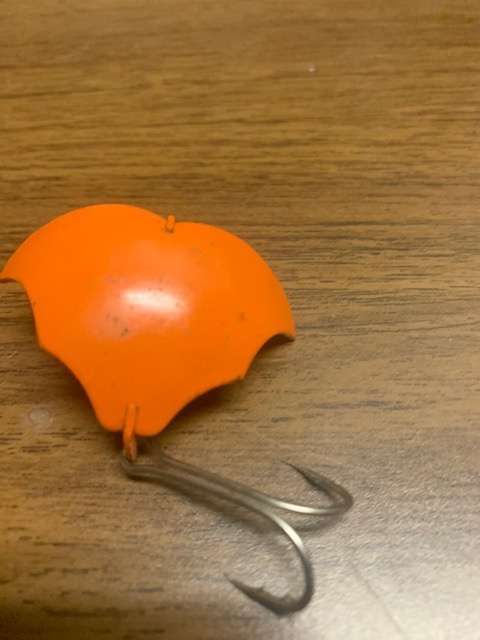
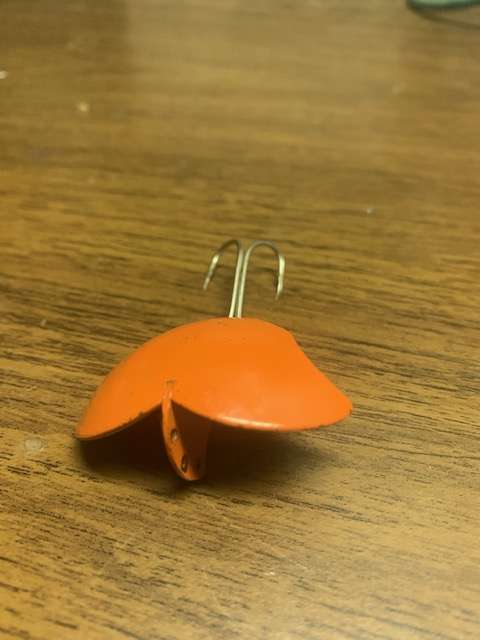
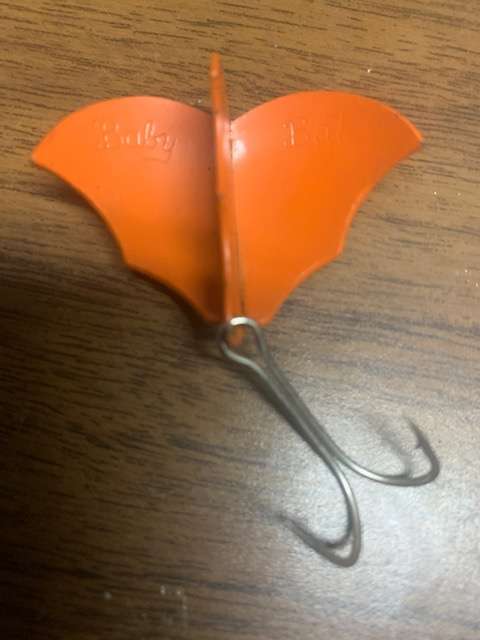
I got this this from a friend's old tackle box. It's called a Baby Bat, a topwater.
-
They work great for ice fishing>
-
Thanks. I currently have a 7' HF with 65 lb. braid on the graphite/7.1 reel.
-
I have 2 lower end baitcasters. Both are Quantum. One has an aluminum frame, 6.4:1 ratio, more bearings (the better of the 2 reels). The Other has a graphite frame but has a 7.1:1 ratio . Currently using the graphite one, but I'm thinking the aluminum frame would be better.
-
Thanks for the advice. I think I'm going to go with co-polymer>
-
Just bought a new Tatula Ct (7.3:1). I also bought a Tatula 6'10" MH Fast for my new reel. I want to really give baitcasters a serious try this year and decided that I needed a better reel. I have a 3 baitcasters already (that aren't the greatest) but I hardly use them (backlash issues , then I revert to my spinning gear). I currently have a Quantum Burst (7.1:1) spooled with 65 lb braid on a 7' Heavy rod that I use for frogging. I use this one more than my other 2 baitcasters and it seems to work fine. My other baitcasters are a Browning Aggressor 6.4:1 spooled with 15 lb fluoro on a 7'1' Med-Fast that I sometime use for cranking, and a Quantum Kinetic PT spooled with 20 lb braid on a 6'10 MH Fast rod that I hardly use. I've had mixed success (ie backlashes) with these 2 combos. I want to make a a real effort to use my new Daiwa combo this year for as many applications as I can and finally get comfortable with baitcasters. I mostly fish from the bank and use T-rigs,C-rigs, Spinnerbaits, small swimbaits, crankbaits, jerkbaits,topwaters and want to use more jigs this year as well. I think my one with the 65 lb braid should be fine for frogging etc. What line should i put on my new reel so that I can use it for many applications? Any suggestions on the Kinetic and my Agressor setup as far as line or setup? I would also like to use these setups more often. Dave