Skip to content

Lowrance Hds 5 In Bow Stopped Working

Featured Replies

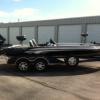
My HDS 5 in the front of my boat wouldn't turn on for me during my last trip to the lake. It was working intermittently the trip previous to that, but it had been in some train and rough water so I didn't worry about it much. My question now is how should I begin to troubleshoot this issue. My dealer is four hours away and its hard for me to work out a time to take it up there. I would also hate to bring it all the way back to the dealer for something I could fix on my own...a wire got loose while in rough water or something like that. My boat is a 2011 Ranger Z520. Any help would be much appreciated. Thanks in advance.

Sounds like you should just unscrew your front panel and see if it is a loose wire there for starters. It does not sound like a fuse, but i would check those as well just in case. Sounds like you have a loose wire. What do you have in the at the counsel? If you can depending on how you have them mounted try to see if it works at the counsel if it is the same wiring, if it works then you have narrowed your problem. Does not really sound like anything you should have to drive 4 hours for though.

Start eliminating the easy options, and let us know.

  • Author

Thanks, I will post my findings once I get the panel off and take a look at it. All I have in the front panel is the HDS 5 and the Ranger running lights control / trim control board. I haven't had the boat long so I'm not very familiar with troubleshooting any electrical issues with it just yet. This is my first in dash / bow unit in front, too. I have an HDS 8 mounted in the drivers side console. I didn't think about plugging it in there as well to see if it is the unit or the wiring.

  • Author

Well, I plugged it into the cables that were plugged into the back of my HDS 8 in the driver's console, it came on for a minute and showed the blue Lowrance screen, then shut off. Now The HDS 8 that was plugged into those cables is not working. I moved the HDS 8 to the front cables to check them just in case, still didn't work. While swapping all wires around, I did remember to shut off the breaker and remove the lead wires to the battery as a precautionary measure.

I thought there was an in line fuse for the electronics but I didn't see one. This is still a pretty new boat for me, so I may have over looked them in my frustration. Also, if there is a fuse box, I sure didn't see it. I plan on bringing both units to a local dealer tomorrow to see if they may be able to do a quick ring out, or test on another boat to see if they are working.

  • Super User

Sounds like a poor ground, or connection in the wiring.

We had something like you are describing with our microwave oven. It would remain powered up, but intermittently would shut down, tripping the circuit breaker when you tried to nuke something. Reset the circuit breaker, and it would power up. The clock and display would work until you hit the start button.

Had the serviceman come out to check the unit. He tested polarity and several other things and found nothing wrong. So, we plugged it into another circuit using an extension cord and it worked just fine. Couldn't find a problem so he left.

I went downstairs and started following the wiring of that circuit. What I found was that someone had stapled through the wiring when they were securing it to the framing of the house. Keep in mind, our home is almost forty years old.

We've had pinhole leaks develop in the copper water tubing, and one of them had sprayed onto that staple which had pierced the insulation, causing a short which did not affect the trickle of power needed for the clock and display. But when the unit called for more power, in high humidity, the breaker would trip. I cut out the damaged section and spliced in another piece of wiring, and no more problem.

Electrical problems can be frustratingly difficult to diagnose, even for qualified electricians. Once you get past the initial check of all the connections you can get to, it's best to have a pro check it out.

You are doing the right thing by taking it to a local dealer.

Sounds like you may already have the units at the dealer, but first thing to check is input voltage to unit power plug with a voltmeter. The two largest pinholes on the plug are input voltage.

  • Author

I haven't brought the units anywhere yet. I'll test them with my voltmeter.

  • Author

I brought the units in and the HDS 5 from the bow is still not working, but the HDS 8 from the driver's console is working well. I did test the power cables going into the units and found the front not to show any voltage at all, and the back showed the voltage to be fine. I will be sending my HDS 5 back to Lowrance for a replacement.

Sounds like you have a power wire issue not an issue with the HDS 5.

Join the conversation

You can post now and register later. If you have an account, sign in now to post with your account.
Note: Your post will require moderator approval before it will be visible.

Guest
Unfortunately, your content contains terms that we do not allow. Please edit your content to remove the highlighted words below.
Reply to this topic...

Recently Browsing 0

  • No registered users viewing this page.

Important Information

We have placed cookies on your device to help make this website better. You can adjust your cookie settings, otherwise we'll assume you're okay to continue.

Account

Navigation

Search

Search

Configure browser push notifications

Chrome (Android)
  1. Tap the lock icon next to the address bar.
  2. Tap Permissions → Notifications.
  3. Adjust your preference.
Chrome (Desktop)
  1. Click the padlock icon in the address bar.
  2. Select Site settings.
  3. Find Notifications and adjust your preference.