Skip to content

Some requests and some for fun!

Featured Replies

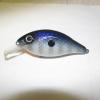
Here's the latest batch. There is a BigM body in this batch. Workin' on more today.

1-21-10001.jpg

1-21-10011.jpg

1-21-10010.jpg

1-21-10005.jpg

1-21-10008.jpg

  • Super User

the bait in the third pic is awesome. please share how you did the scales!

They all look like bass killers to me Mike.

Look's like you sprayed a little purple on your hand's there!! lol.. they all look great but those tiger striped one's are really catching my eye...

Pic number 4 is by far the best looking of the bunch and if I'm not mistaken that's a MCH1 by Big M.

  • Author
Pic number 4 is by far the best looking of the bunch and if I'm not mistaken that's a MCH1 by Big M.

Do you know that Big M guy? He does make a nice bait. But.............

Just kidding! Thanks a lot guys!

The scales in the third pic I did by laying netting over netting. Spray one color with one layer and then the  accent color through the second.

  • Author
Look's like you sprayed a little purple on your hand's there!! lol.. they all look great but those tiger striped one's are really catching my eye...

My hand is purple from holding on too long!. Thanks Barry. The tiger stripes I "borrowed" that from you sir.

  • Super User
Pic number 4 is by far the best looking of the bunch and if I'm not mistaken that's a MCH1 by Big M.

Do you know that Big M guy? He does make a nice bait. But.............

Just kidding! Thanks a lot guys!

The scales in the third pic I did by laying netting over netting. Spray one color with one layer and then the accent color through the second.

how did you get the black tips on the scales like that though?

Very nice - - the lipless crank looks great!

Join the conversation

You can post now and register later. If you have an account, sign in now to post with your account.
Note: Your post will require moderator approval before it will be visible.

Guest
Unfortunately, your content contains terms that we do not allow. Please edit your content to remove the highlighted words below.
Reply to this topic...

Recently Browsing 0

  • No registered users viewing this page.

Important Information

We have placed cookies on your device to help make this website better. You can adjust your cookie settings, otherwise we'll assume you're okay to continue.

Account

Navigation

Search

Search

Configure browser push notifications

Chrome (Android)
  1. Tap the lock icon next to the address bar.
  2. Tap Permissions → Notifications.
  3. Adjust your preference.
Chrome (Desktop)
  1. Click the padlock icon in the address bar.
  2. Select Site settings.
  3. Find Notifications and adjust your preference.