Skip to content

How to get numbers to stay on

Featured Replies

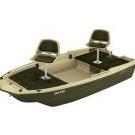
Just bought a new Sun Dolphin Pro 120 and after registering it and receiving my hull I'd numbers, I am faced with the problem of keeping them on that polyurethane  hull that doesn't like anything at all sticking to it. 

Any plastic hull owners out there figure out how to get them to stick?

Thanks

master_KLI016.wdp.jpg

I cleaned the area with vinegar before applying.  Stayed on for five + years and never a problem.


Ken

  • Super User

I had one for over 10 years and never had a problem with the numbers coming off. I had only cleaned the area with soap and let it dry. Just be sure to press them on good. 

I have a Porta-bote that utilizes a copolymer plastic material hull so I first cleaned the area well with denatured alcohol. I then followed up with a wallpaper seam roller to work out any bubbles and make sure all of the edges of the numbers were fully adhered to the hull.

The numbers have stayed on well for the past two years.

Good luck!


Join the conversation

You can post now and register later. If you have an account, sign in now to post with your account.
Note: Your post will require moderator approval before it will be visible.

Guest
Unfortunately, your content contains terms that we do not allow. Please edit your content to remove the highlighted words below.
Reply to this topic...

Recently Browsing 0

  • No registered users viewing this page.

Important Information

We have placed cookies on your device to help make this website better. You can adjust your cookie settings, otherwise we'll assume you're okay to continue.

Account

Navigation

Search

Search

Configure browser push notifications

Chrome (Android)
  1. Tap the lock icon next to the address bar.
  2. Tap Permissions → Notifications.
  3. Adjust your preference.
Chrome (Desktop)
  1. Click the padlock icon in the address bar.
  2. Select Site settings.
  3. Find Notifications and adjust your preference.