Skip to content

Need Help w/Helix 5 settings for kayak.

Featured Replies

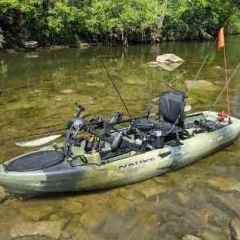
I reset my Helix 5 last time I did a firmware update and I don't think I got it dialed back in as good as it was before that. I used to know about where I had it all set but I suffered a brain injury in May that causes me to forget certain things.  I took my kayak out a few weeks back and literally didn't see what I thought was a single fish the whole time I was out there.The water was 42* though and there may not have been any around, not sure. My kayak is pedal driven and cruises around 2mph.The Helix has everything but SI and I basically need all the settings for it to make sure its dialed-in.  Thanks in advance for any and all help!

While I can't recall specific settings for you, if you take it out of Angler mode you'll get a bunch of settings back. How-to in this video.


Also this dude has a bunch of short videos that are pretty much the hbird manual but in video. I found them very helpful. 


  • Super User

It could have been that you just didn't see any fish.  If the water is that cold, the fish will mostly be right on the bottom, in which case they often won't show up unless you really know how to read a graph well. If you don't see any fish by the time the water temperature gets into the upper 50's, I'd start playing with your settings.  But for now, I wouldn't sweat not seeing anything.  

Join the conversation

You can post now and register later. If you have an account, sign in now to post with your account.
Note: Your post will require moderator approval before it will be visible.

Guest
Unfortunately, your content contains terms that we do not allow. Please edit your content to remove the highlighted words below.
Reply to this topic...

Recently Browsing 0

  • No registered users viewing this page.

Important Information

We have placed cookies on your device to help make this website better. You can adjust your cookie settings, otherwise we'll assume you're okay to continue.

Account

Navigation

Search

Search

Configure browser push notifications

Chrome (Android)
  1. Tap the lock icon next to the address bar.
  2. Tap Permissions → Notifications.
  3. Adjust your preference.
Chrome (Desktop)
  1. Click the padlock icon in the address bar.
  2. Select Site settings.
  3. Find Notifications and adjust your preference.