Skip to content

Big Bite Dean Rojas Fighting Frog...

Featured Replies

Gander had some of these on sale... They look more like a brush hog type bait than a frog bait... Which way do you use them?

Gander had some of these on sale... They look more like a brush hog type bait than a frog bait... Which way do you use them?

Yeah, the name was a bit of a throw off when I first found them as well. But I use them just like a beaver bait, flipping and punching. The appendages have a nice action, they use a small lip like the Rage baits to make the claws flap around, but nowhere near as wildly.

  • Author

Cool, thanks. I was planning on fishing it that way, but might see if it works at all on top.

I fish them on a texas rig and they are great, I use those rage craws and chigger craws gonna play with some havoc baits soon.

yeah i went up to gander and picked up a pack of those fighting frogs in the tilapia color(green pumpkin with blue flake) when the local lake starts cover over with weeds and scum gonna punch them and swim them on top weightless on a 5/0 hook. cant wait.

Awful baits, you shouldn't even try them. Whatever you do, don't flip with them!

Fighting Frog in Talapia color= my go-to flippin bait.

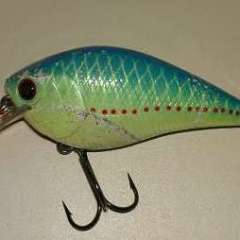
Bass engulf these things. I think the profile is more sunfish or bream like.

post-19969-0-46916200-1304563093_thumb.j

Join the conversation

You can post now and register later. If you have an account, sign in now to post with your account.
Note: Your post will require moderator approval before it will be visible.

Guest
Unfortunately, your content contains terms that we do not allow. Please edit your content to remove the highlighted words below.
Reply to this topic...

Recently Browsing 0

  • No registered users viewing this page.

Important Information

We have placed cookies on your device to help make this website better. You can adjust your cookie settings, otherwise we'll assume you're okay to continue.

Account

Navigation

Search

Search

Configure browser push notifications

Chrome (Android)
  1. Tap the lock icon next to the address bar.
  2. Tap Permissions → Notifications.
  3. Adjust your preference.
Chrome (Desktop)
  1. Click the padlock icon in the address bar.
  2. Select Site settings.
  3. Find Notifications and adjust your preference.