Skip to content

Dish Network Subscribers

Featured Replies

  • Super User

I recently noticed that none of the HD broadcasting was in surround sound. I first noticed it when I tuned into an NFL game on Sunday. No crowd sounds from the rear speakers. I looked on the display on the audio visual receiver that shows which channels are receiving a signal. Only the left and right were lit up. No woofer, no rear speakers.

Called customer service and they connected me to an advanced service tech. Went through all the steps and all the settings were correct for receiving Dolby Digital. The "problem" is on all three high def receivers that we have. The tech then tried to find a channel broadcasting in surround sound, and came up empty. Every one he checked was listed as stereo, not DD.

Any other DISH customers on here? Are you receiving surround sound?

I went to the "official" DISH website and spent over an hour searching their site and could not find a mention of DD anywhere. I did a search, and all that came up from their site was old info about surround sound and DD.

  • Super User

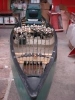
Ask Santa for a set of these old man :xmasicon_cool:

hearing_aids_bigger.jpg

My wife just asked me why i was laughing so hard. You guys just made my day with these posts.

  • Super User

No disrespect or offense intended, slonezp, but Rhino's pic is hilarious!...ROFLMAO

Me too.

HEY EVERYBODY. THIS IS A SERIOUS THREAD. RHINO NEEDS HELP. HE IS UNABLE TO ENJOY WATCHING THE PRICE IS RIGHT. NO MORE SCREWING AROUND. HELP THE POOR GUY OUT!!!

I sure hope this thread isn't as many pages as the PM J Francho thread :wink2:

  • Super User

C'mon, JF's thread is pretty funny...That thread should be right up there in th BRHoF!

And what are you talking about, 50% of those posts are yours!

  • Super User

I need help. Don't want to be thought of as a guy commiting elder abuse.

  • Super User

Ahhhh...c'mon son, once you're healed and off the meds, you'll be normal, just like the rest of the children.

Gotta run, have a great Xmas!

Join the conversation

You can post now and register later. If you have an account, sign in now to post with your account.
Note: Your post will require moderator approval before it will be visible.

Guest
Unfortunately, your content contains terms that we do not allow. Please edit your content to remove the highlighted words below.
Reply to this topic...

Recently Browsing 0

  • No registered users viewing this page.

Important Information

We have placed cookies on your device to help make this website better. You can adjust your cookie settings, otherwise we'll assume you're okay to continue.

Account

Navigation

Search

Search

Configure browser push notifications

Chrome (Android)
  1. Tap the lock icon next to the address bar.
  2. Tap Permissions → Notifications.
  3. Adjust your preference.
Chrome (Desktop)
  1. Click the padlock icon in the address bar.
  2. Select Site settings.
  3. Find Notifications and adjust your preference.