Skip to content

Yo-Zuri 3DB Knuckle Bait

Featured Replies

  • Super User

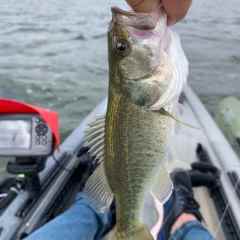
I went fishing this morning and couldn't buy a bite on any of the usual stuff.  While digging around for a spinnerbait, I noticed the Knuckle Bait in my box and realized and I hadn't tried it yet.  I bought it on clearance a long while back, read a bunch of terrible reviews, and forgot about it.  But I tied it on today and it absolutely killed... with the dinks.  I went from nothing to landing probably 10 1-2lbers in probably 2 hours, and I was catching them all over the lake.  I just threw it to the bank, gave it two turns of the reel, killed it for a second or two, and then gave it another two turns.  I guess they had never seen anything like that before and just went nuts.  


I will say that it got hung up constantly.  It was like a wood magnet.  Much worse than a regular spinnerbait.  I spent probably 30-45 minutes of those 2 hours trying to free that thing.  


I don't know if I'll try to replace it when I do eventually lose it.  But it made for an interesting day.  I almost hate to try it again, because if it does well next time, and actually lands some sizable bass, it might be hard to replace since it's been discontinued for a while.

  • Super User

I have to be honest and admit, the first thought that popped into my head after reading your post is that, “this proves bass are dumb creatures with pea-sized brains” - lol ?


Sounded like a good trip overall, though. Nice job

  • Global Moderator

I've had 2 of them, one I was given and one that I found. I can't honestly remember catching a fish on either and I don't know if I still own them anymore. 

Join the conversation

You can post now and register later. If you have an account, sign in now to post with your account.
Note: Your post will require moderator approval before it will be visible.

Guest
Unfortunately, your content contains terms that we do not allow. Please edit your content to remove the highlighted words below.
Reply to this topic...

Recently Browsing 0

  • No registered users viewing this page.

Important Information

We have placed cookies on your device to help make this website better. You can adjust your cookie settings, otherwise we'll assume you're okay to continue.

Account

Navigation

Search

Search

Configure browser push notifications

Chrome (Android)
  1. Tap the lock icon next to the address bar.
  2. Tap Permissions → Notifications.
  3. Adjust your preference.
Chrome (Desktop)
  1. Click the padlock icon in the address bar.
  2. Select Site settings.
  3. Find Notifications and adjust your preference.