Skip to content

In rivers, do you think the post spawn “funk” is driven by water temp or when they finish spawning/guarding and how long do you think it typically lasts?

Featured Replies

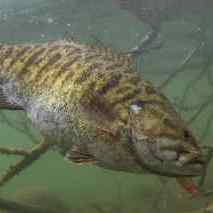
You’ve all heard of this, the period immediately following spawning activity when larger fish are fatigued and difficult to catch, resting in weird places.

Do you believe that the primary catalyst for this is water temperature or the end of spawning activity? Some may say these two coincide, but with the erratic weather, we’ve been having last decade, water temperatures are all over the place through May and June.

How long does this typically last and how do you target fish during this period?

  • Super User

It's the end of spawning activity. The fish need to recover from the impact spawning has on them.

  • Super User

I have never noticed much of a post spawn funk - if anything fish have tons of food around and they’re so stuffed from feeding that they don’t bite artificial lures much until the food gets depleted somewhat in the areas they hunt etc. they tend to still bite - you just gotta finesse them for a week or two - floating worm and popper and fluke and shaky head etc

Most of the fish on the lake are small once shad and crappie and perch and sunfish and carp and catfish and bass minnows are swimming around everywhere and the smallest they are gonna be all year - so normal size lures don’t appeal much for a few weeks is I think the big adjustment people don’t make.

As said above the fish are beat up from spawning and need to recover. I also think rivers are a bit tougher on the the fish. Since the spawn happens over a period of time I think you have to apply that same period of time for recovery. I'd say two weeks to a month depending on weather, current flow, river levels etc. Conditions dictate how I'd fish but a general rule is finesse or make them react.

Join the conversation

You can post now and register later. If you have an account, sign in now to post with your account.
Note: Your post will require moderator approval before it will be visible.

Guest
Unfortunately, your content contains terms that we do not allow. Please edit your content to remove the highlighted words below.
Reply to this topic...

Recently Browsing 0

  • No registered users viewing this page.

Important Information

We have placed cookies on your device to help make this website better. You can adjust your cookie settings, otherwise we'll assume you're okay to continue.

Account

Navigation

Search

Search

Configure browser push notifications

Chrome (Android)
  1. Tap the lock icon next to the address bar.
  2. Tap Permissions → Notifications.
  3. Adjust your preference.
Chrome (Desktop)
  1. Click the padlock icon in the address bar.
  2. Select Site settings.
  3. Find Notifications and adjust your preference.