Skip to content

Huddleston Bite Turns Back On (Dd Included)

Featured Replies

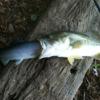
Well after somewhat of a dry spell, 18+ hours with no fish, I finally got one to commit today. Caught on a 8" Hudd, water temp in the 60s, air temp in the 50s.

She went 12.5

vert.jpg

horiz.jpg

Keep on chunkin and windin guys!

NGaHb

wait.. i think i know where that is..

  • Author

wait.. i think i know where that is..

You've got a keen eye my friend :grin:

NGaHB

Now that's a big mama! Nice Job!

  • Super User

WTG Greg! Congrats on breaking the dry spell.

WOW, she's a big FAT MAMA!!! WTG NGH ;)

wwww.ragetail.com

  • Author

Thanks guys, I was really happy to break the dry spell. Much less with such a solid fish.

NGaHB

Awesome catch ! That's a pig right there :)

BTW, if you just back up against anything... a tree, or bush, the side of a steep hill, etc, it will totally hide your spot without all the weird looking photoshopping later.

Stay on em' !

Fish

Awesome catch ! That's a pig right there :)

BTW, if you just back up against anything... a tree, or bush, the side of a steep hill, etc, it will totally hide your spot without all the weird looking photoshopping later.

Stay on em' !

Fish

He is guarding that spot with his life. I don't blame him for just raping that thing with photoshop

  • Author

Thanks for the kind words guys.

Fish Chris- I've messed around with trying to hide the spot without the blurr, but the blurr lets me sleep at night :D

Deep Jig- I use a Cardiff 301. I have used 400 sized before, but I can get a hudd out as far as I can toss it and have PLENTY of line left on there. I use 25# CXX. If you dont change out your line every couple of trips then you might want to go with a 400, but I like to change it out every other trip and the drastic size diff between a 300 and a 400 makes the 300 a must have for me.

Thanks again guys

NGaHB

Great looking catch! Also really like ur photoshop pic to protect ur spot!

-b

Join the conversation

You can post now and register later. If you have an account, sign in now to post with your account.
Note: Your post will require moderator approval before it will be visible.

Guest
Unfortunately, your content contains terms that we do not allow. Please edit your content to remove the highlighted words below.
Reply to this topic...

Recently Browsing 0

  • No registered users viewing this page.

Important Information

We have placed cookies on your device to help make this website better. You can adjust your cookie settings, otherwise we'll assume you're okay to continue.

Account

Navigation

Search

Search

Configure browser push notifications

Chrome (Android)
  1. Tap the lock icon next to the address bar.
  2. Tap Permissions → Notifications.
  3. Adjust your preference.
Chrome (Desktop)
  1. Click the padlock icon in the address bar.
  2. Select Site settings.
  3. Find Notifications and adjust your preference.