Skip to content

Some Fun Lake Ontario Action

Featured Replies

  • Super User

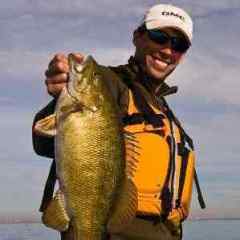
Paul (Blue Daksi) and I got out for a short trip last evening and the fish were on fire. Pods of spawning browns, leaping steelhead all over the place. Only problem....couldn't get bit. Finally, at Paul's suggestion, we downsized our bait. With good success....

548667_4337776875772_9765438_n.jpg

483080_3786778275771_774915172_n.jpg

  • Author
  • Super User

Thanks!

When you're fishing spoons, changing profile has more effect on retrieve speed and running depth. I personally think they wanted a slower presentation, so downsizing or switching to a wider spoon gets you there with a slower retrieve at the same depth.

  • Super User

Nice! that sure is a dandy brown

Makes me home sick though I haven't been trout fishing since we went last year. I'll be back soon were starting to pack stuff up and ship it home but the run will be long over by the time I get there.

  • Author
  • Super User

As long as it isn't frozen, there should be trout in OO below the dam.

  • Super User

iv never seen it freeze up solid

  • Super User

Oh Man! I am jealous! That is one dandy brown. One day I will catch one like that!

Jeff

  • Super User

Holy Smokes!

:respect-059: :respect-059: :respect-059:

  • Author
  • Super User

Thanks guys!

Went out last weekend and absolutely SMOKED them, had 12 over 24" in 2.5 hrs. Tons of browns out on the Big O!

What a beautiful brown!

Join the conversation

You can post now and register later. If you have an account, sign in now to post with your account.
Note: Your post will require moderator approval before it will be visible.

Guest
Unfortunately, your content contains terms that we do not allow. Please edit your content to remove the highlighted words below.
Reply to this topic...

Recently Browsing 0

  • No registered users viewing this page.

Important Information

We have placed cookies on your device to help make this website better. You can adjust your cookie settings, otherwise we'll assume you're okay to continue.

Account

Navigation

Search

Search

Configure browser push notifications

Chrome (Android)
  1. Tap the lock icon next to the address bar.
  2. Tap Permissions → Notifications.
  3. Adjust your preference.
Chrome (Desktop)
  1. Click the padlock icon in the address bar.
  2. Select Site settings.
  3. Find Notifications and adjust your preference.