
Glenn
BassResource.com Administrator
-
Joined
-
Last visited
-
Currently
Viewing Topic: Brush hogs as trailers for jigs, spinner baits and chatterbaits, opinions please
Everything posted by Glenn
-
Welcome Home! We're glad you're here!
-
Welcome Home! We're glad you're here!
-
Welcome Home! We're glad you're here!
-
Welcome Home! We're glad you're here!
-
Welcome Home! We're glad you're here!
-
Welcome Home! We're glad you're here!
-
PM me the name of the company, and I'll try to help you out.
-
Marion, Sorry about that. We get a lot of spam here, often in the form of veiled "questions" by vested individuals, just to get a mention and a link to their site posted. Not saying you're doing that, but if we allow a means that allows those sites get links and exposure, then it opens the barn doors. Hope you understand.
-
It's a new rod introduced at ICAST. It's not available just quite yet. Should be out before the year is over.
-
Just a reminder....
-
Doesn't it look like all these guys are singing? Just sayin'
-
Brett Hite on Daiwa Reels and Evergreen Baits
-
Takahiro Omori explains why the 9.1 Zillion fishing reel helps him perform better in tournaments.
-
Mark Zona details the new G-Loomis GLX rods in his signature hilarious style - and reveals he's on these forums!
-
Brent Ehler details the new Tatula CT Type-R reel and the new Cronos fishing rods from Daiwa .
-
Randy Howell explains the features of the Zillion and Steez equipment he uses on the tournament trail.
-
Seth Feider explains the features of his new Diawa jerkbait rod.
-
Andy Montgomery delivers in comical fashion the virtues of Daiwa's T-Wing System on its reels.
-
Ish Monroe details some of the new products and features from Daiwa at the 2016 ICAST show.
-
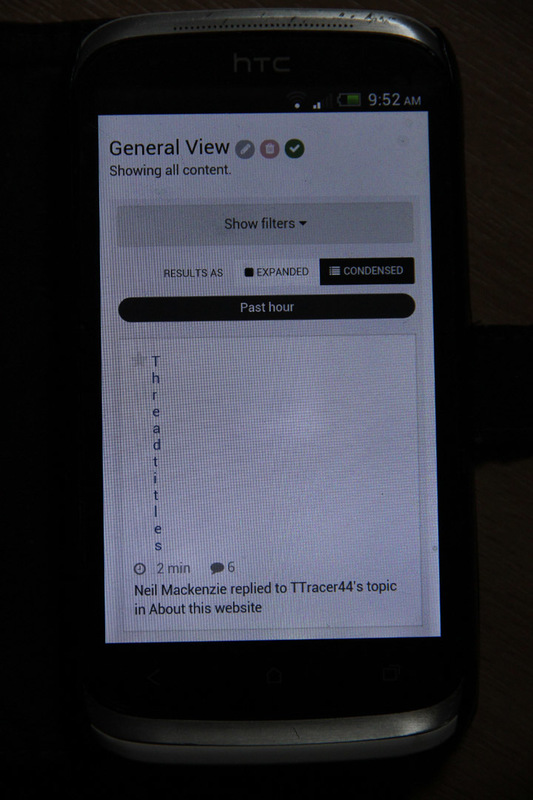
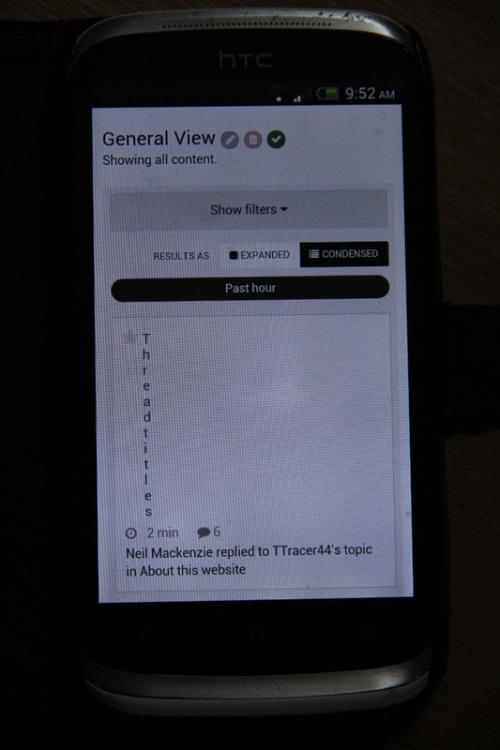
I’ve recently applied a minor update. In line with our aim to make incremental improvements in each release, I wanted to go over a few of the small but useful changes to the personal messenger that you'll find with a recent update. Read/unread filtering The first improvement is that you can now filter the message list by read and unread, making it a little easier to browse through just the messages you're interested in. Search improvements Next up, the messenger search has been improved in a couple of ways; first, you can now also search the names of both the recipients and the senders, and second, we've added a menu so you can specify which fields in particular you want to search by. Easier moving Finally, we've added a popular request - the ability to use the mass-move tool inside the messenger. You can now check multiple messages, and the usual mass-action toolbar will appear that will allow you either move them to another folder, or, has been the case in the past, delete them. While these are each small improvements by themselves, we hope the incremental changes in each release add up to a more pleasant experience for you. Known Issue Some members using tablets are experiencing an issue where the thread titles are “vertical” like the screenshot below. A fix is in the works, and we’ll apply it as soon as it’s been thoroughly tested. Apologies for the hassle.
-
See who the 2016 Diawa bass pros are and learn about each one of them. Randy Howell, Ish Monroe, Takahiro Omori, and more!
-
Check out the new wireless kill switch MOB (Man Over Board) system introduced at the 2016 ICAST show.
-
Pro Wesley Strader explains how he uses Lowrance electronics in his fishing to help him locate and catch more fish!
-
See the new Bass Release ruler for instant measurement and weight estimation for quick catch and release.
-
See the brand new fishing gear from Simms Fishing Products, debuted at the 2016 ICAST show.