Skip to content

prototype testing

Featured Replies

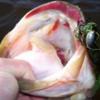
pretty nice one this evening.  first time out using a design i've been tinkering with.  it's a start.

100_1123.JPG

  • Super User

Wow ~ Nice one Paul.

Look what you can do  ..  ..  ..  ..

:smile10:

A-Jay

  • Super User

Looks like your prototype has merit. 

  • Super User

Chunky lady there!


What kind of prototype are you testing?

  • Super User


You're definitely on a roll Paul., Way To Go!!

I envision your prototype resembling a Devils Spear  :)


Roger

  • Author

thanks guys. sorry but i can't really talk much about the bait right now other than to say that i am forcing myself to plow ahead with the tedious grind of field testing. :rolleyes: initial feedback has been encouraging.    

  • Super User
On 2/24/2017 at 8:19 PM, Mosster47 said:

Oh boy....How much is the Paul Rig going to run us?


Move over Ned,

the Paul Rig is about 'toads'   :)

  • Super User

Ain't no toad! That's a Hawg!

Join the conversation

You can post now and register later. If you have an account, sign in now to post with your account.
Note: Your post will require moderator approval before it will be visible.

Guest
Unfortunately, your content contains terms that we do not allow. Please edit your content to remove the highlighted words below.
Reply to this topic...

Recently Browsing 0

  • No registered users viewing this page.

Important Information

We have placed cookies on your device to help make this website better. You can adjust your cookie settings, otherwise we'll assume you're okay to continue.

Account

Navigation

Search

Search

Configure browser push notifications

Chrome (Android)
  1. Tap the lock icon next to the address bar.
  2. Tap Permissions → Notifications.
  3. Adjust your preference.
Chrome (Desktop)
  1. Click the padlock icon in the address bar.
  2. Select Site settings.
  3. Find Notifications and adjust your preference.