Skip to content

Hello from Lake Anna

Featured Replies

Hi all, 

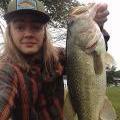
   Just wanted to make my first post introducing (or reintroducing) myself to this wonderful community. My name is Casey and I was once a member here under the name "LakeAnnaBasser", but the email for that username is long gone so I figured I'd just start fresh.   Anyways, I am back in the game.  I started fishing when I was about 11 years old thanks to my pops being an avid angler.  A 3 1/2 pounder on a texas rigged lizard is what got me hooked for life.  By age 18 I got my first bass boat.  Unfortunately I have neglected it over the past 5 years with college, forming relationships, roadtripping the country, and living in a saltwater area.  I'm happy to say that I've graduated, got married to a lovely lady who enjoys fishing with me, and have moved out of that salty mess back down to Lake Anna where it all began.  I am ready to get the boat back in the water and am looking forward to learning new techniques while taking my fishing to the next level.  


Oh, and most importantly I am looking forward to discussing many many things with the fine community of BassResource. 


 Cheers, 

Casey aka Geese

  • Super User

Hello Casey aka Geese and Welcome (Back) to Bass Resource ~

A-Jay

  • Super User

Hey Casey, welcome back!

Hello and welcome back!

Greetings and Welcome back :)

  • Super User

Great you are with us and know about One Fish Anna.


Looking forward to reading your posts about Lake Anna and other places you fish.


Welcome!

Casey - Welcome back to Bass Resource. Enjoy reading & contributing in the forums.

  • Super User

Welcome! :)

  • Author

Thanks for the welcoming wishes, y'all. 

  • Super User

Put you feet and enjoy

Join the conversation

You can post now and register later. If you have an account, sign in now to post with your account.
Note: Your post will require moderator approval before it will be visible.

Guest
Unfortunately, your content contains terms that we do not allow. Please edit your content to remove the highlighted words below.
Reply to this topic...

Recently Browsing 0

  • No registered users viewing this page.

Important Information

We have placed cookies on your device to help make this website better. You can adjust your cookie settings, otherwise we'll assume you're okay to continue.

Account

Navigation

Search

Search

Configure browser push notifications

Chrome (Android)
  1. Tap the lock icon next to the address bar.
  2. Tap Permissions → Notifications.
  3. Adjust your preference.
Chrome (Desktop)
  1. Click the padlock icon in the address bar.
  2. Select Site settings.
  3. Find Notifications and adjust your preference.