Skip to content

Returning With New Name (Was Farmpond1)

Featured Replies

  • Super User

Hey folks,

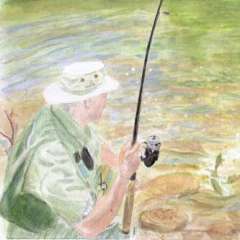
For those of you who care (a small group to be sure), I've been away for a little while and am returning with a new name. No I wasn't banned before! When the site was revamped, and with me being technologically challenged, I could never get my old username/password to work so eventually I gave up trying. But here I am-the new and improved me! My old name was farmpond1. Now I'm Ratherbfishing. As I have this new name, it may take a little while for you to discern that I haven't any idea what I'm talking about most of the time. But you'll realize this soon enough. Anyway, when I get back on photobucket, I'll try to post my old picture. Haven't time right now.

This has been a wacky spring weather-wise (cold one week and 90 degrees the next) but all in all, I can't complain about the fishing. Some nice bass and crappie and even a few catfish have said "hello" (and "goodbye"-I let them all go). Hope you are all doing well, too.

ciao'

Ratherbfishing (aka farmpond1)

  • Super User

Did you want your old login back? You can have it back, and change the handle if you desire.

  • Super User

Welcome back!

  • Author
  • Super User

Did you want your old login back? You can have it back, and change the handle if you desire.

Thanks by I'm good. It matters little to me what my "status" or count is so I'll just start fresh.

Hi and welcome

Join the conversation

You can post now and register later. If you have an account, sign in now to post with your account.
Note: Your post will require moderator approval before it will be visible.

Guest
Unfortunately, your content contains terms that we do not allow. Please edit your content to remove the highlighted words below.
Reply to this topic...

Recently Browsing 0

  • No registered users viewing this page.

Important Information

We have placed cookies on your device to help make this website better. You can adjust your cookie settings, otherwise we'll assume you're okay to continue.

Account

Navigation

Search

Search

Configure browser push notifications

Chrome (Android)
  1. Tap the lock icon next to the address bar.
  2. Tap Permissions → Notifications.
  3. Adjust your preference.
Chrome (Desktop)
  1. Click the padlock icon in the address bar.
  2. Select Site settings.
  3. Find Notifications and adjust your preference.