Skip to content

Welcome Back Avid

Featured Replies

  • Super User

I have seen you posting and did not want to hijack a thread and wanted to say that I'm glad you're still kicking. I asked Steve P about you this spring and he said you weren't dead yet. Just wanted you to know that at least there was 1 guy here that is glad to see you. :D

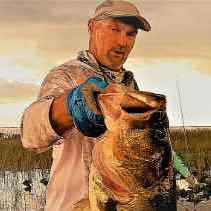
Now I can use the "Avid look-a-like photo" as a qualification of my contest again and not have to esplain it to the newbies.

FD

LOL. Well thanks for the howdy

It's good to be back.

  • Super User

I've missed you, friend.

  • Super User

Avid never left, he's just been busy diving for that rod he lost in his backyard pond, :lol::lol:

Glad to see you're back. Now if we can only find "Muddy."

  • Super User

Avid! Good to see you posting. Long time. :)

  • Super User

Glad you returned.

Looking forward to your posts and pics. :)

  • Super User

Welcome back, missed y’all ;)

Great to see you back! From the looks of your profile picture, you've been catching some nice ones!

Welcome back Avid. The site was not the same without your posts.

  • Super User

You old hound dog!!! Good to see you are still around. Look forward to your posts.

Ronnie

  • Super User

Great to see you back, Avid!

Join the conversation

You can post now and register later. If you have an account, sign in now to post with your account.
Note: Your post will require moderator approval before it will be visible.

Guest
Unfortunately, your content contains terms that we do not allow. Please edit your content to remove the highlighted words below.
Reply to this topic...

Recently Browsing 0

  • No registered users viewing this page.

Important Information

We have placed cookies on your device to help make this website better. You can adjust your cookie settings, otherwise we'll assume you're okay to continue.

Account

Navigation

Search

Search

Configure browser push notifications

Chrome (Android)
  1. Tap the lock icon next to the address bar.
  2. Tap Permissions → Notifications.
  3. Adjust your preference.
Chrome (Desktop)
  1. Click the padlock icon in the address bar.
  2. Select Site settings.
  3. Find Notifications and adjust your preference.