



Glenn
BassResource.com Administrator
-
Joined
-
Last visited
Everything posted by Glenn
-
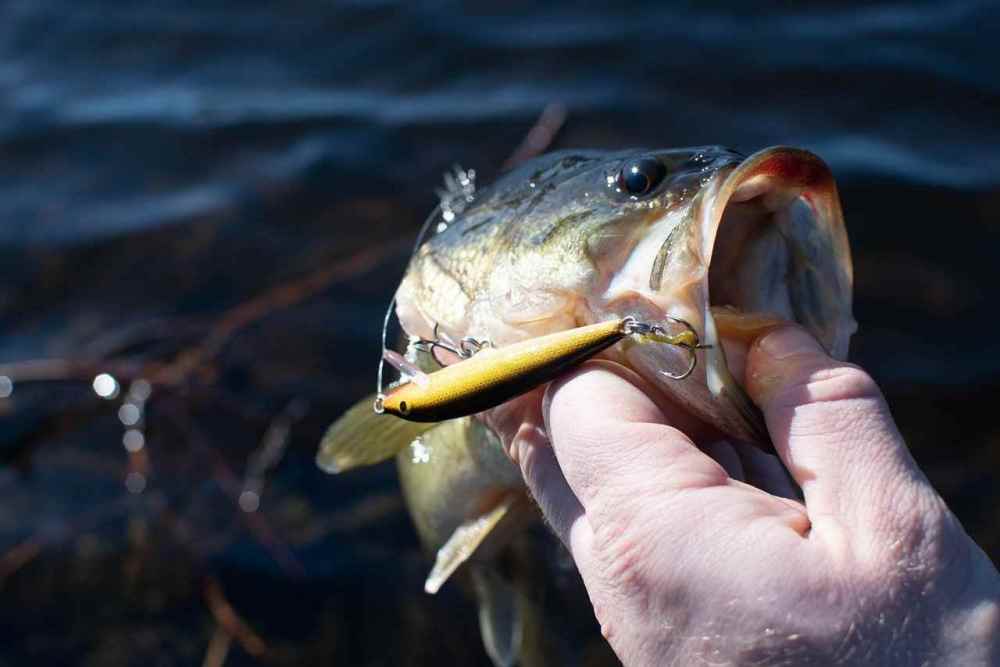
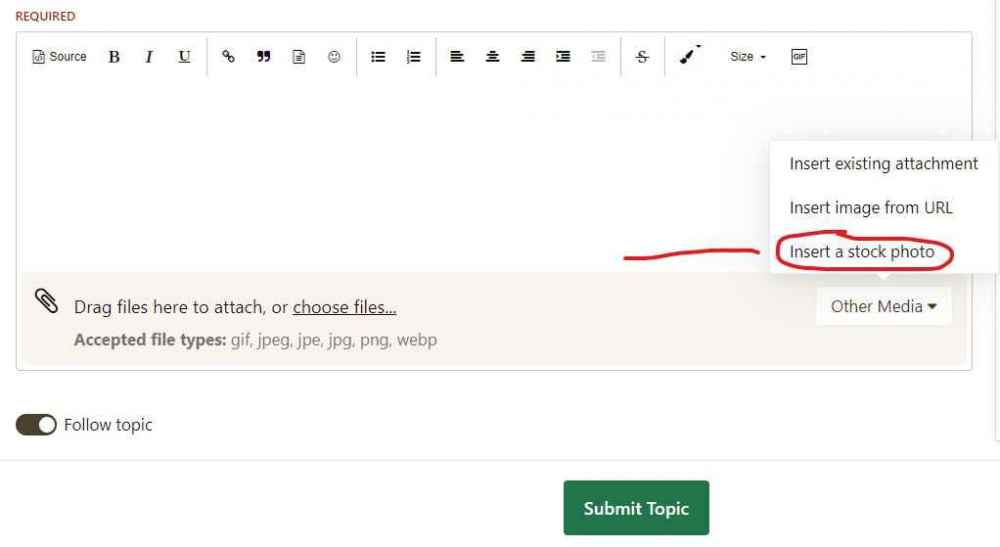
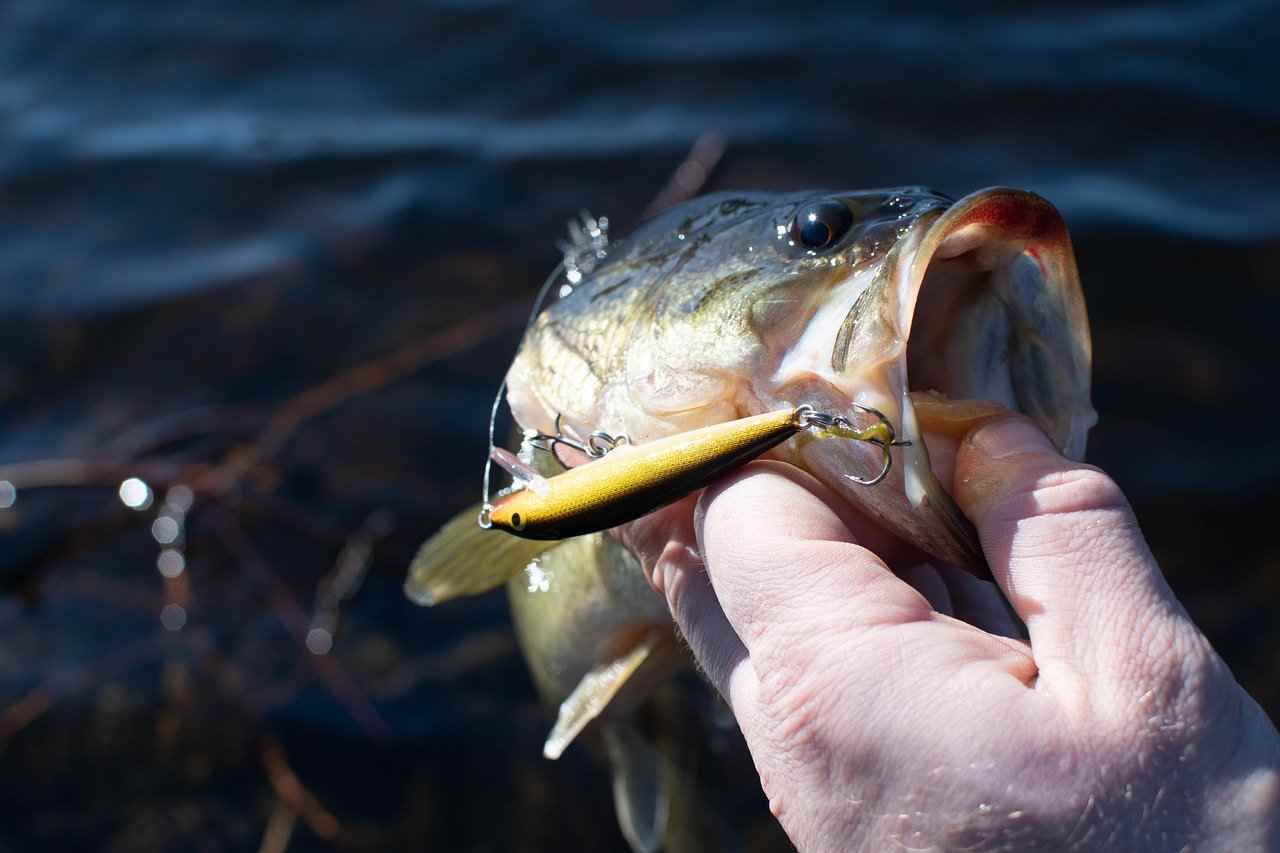
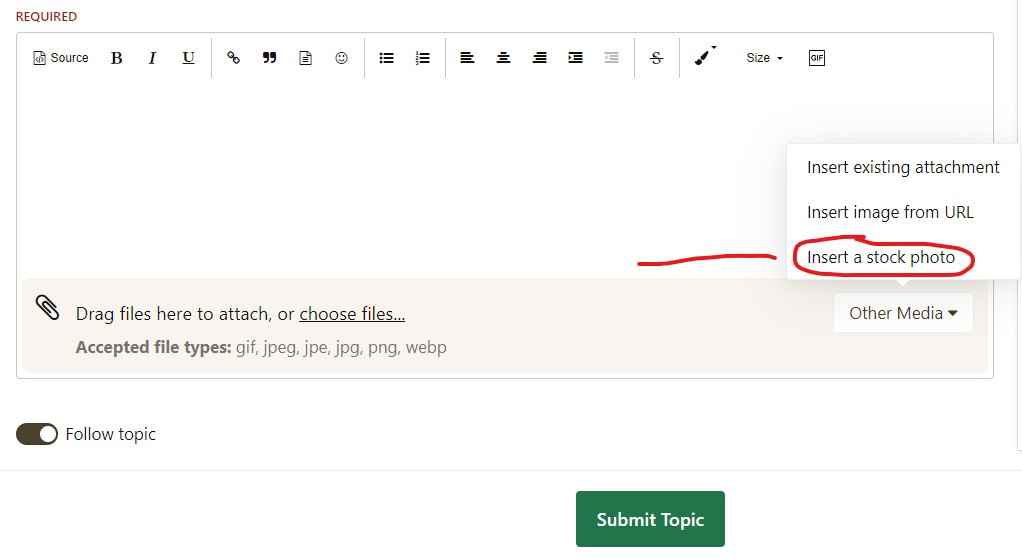
In case you missed it I upgraded the forums last weekend. Well I wanted to let you in on another new feature that I just enabled: Stock Photo Picker We have come a long way since the late 90s when someone had the genius idea of using a small yellow smiling face image instead of the more common colon-bracket representation of a smiling face. In these forums, there are various places that photography can be used to create visual interest. From uploads in topics, to cover photos for members, and even avatars. The humble upload field has served these areas well, but sourcing images to use can be a pain; especially when you have to walk the minefield that is copyright and attribution. Fortunately, there are a few "CC0" online stock photo libraries that offer quality photography that requires no attribution and are not hampered by copyrights. One such library is the ever-popular Pixabay, which was established in 2012 and has over a million images ready to use, from llamas to boat trailers and everything in-between. The BassResource forums now includes support for Pixabay which brings those images to your fingertips (or mouse pointer if you're on a desktop.) Here's an image I found in seconds.... As you can see, not only can you upload into posts from the stock photo library, but you can also use it to add a cover image to your profile. Finding quality photography has never been so easy! Enjoy!
-
I was at ICAST in Florida a few weeks ago. I understand a lot of people who also went got Covid as a result, including at least a dozen pros. But I didn't. I'm walking proof that the vaccine works. If I need to take a booster later, I say "Bring it". Whatever it takes to stop this enemy, I'm in.
-
Let's take a look at some of the common misconceptions about smallmouth bass...
-
https://www.amazon.com/gp/product/B00HNWNXAW/ref=ppx_yo_dt_b_asin_title_o00_s00?ie=UTF8&psc=1 Wash your sandals with these. Use a generous amount and wash by hand. I recommend letting it soak in for 10 mins before rinsing. Air dry thoroughly. You're welcome.
-
It's been long overdue, but I finally got around to building an About Us section. Here you will find all the bios of the staff, advertising philosophy and policies, and more. I figured it was time to give you a glimpse behind the curtain and see just how and why we do things around here. https://www.bassresource.com/about-us Let me know your thoughts in the comments below.
-
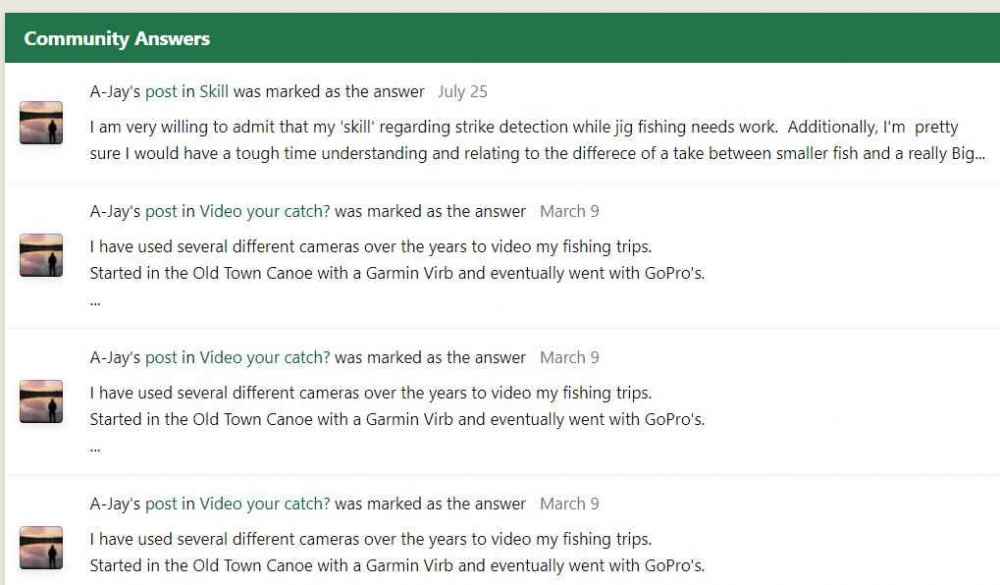
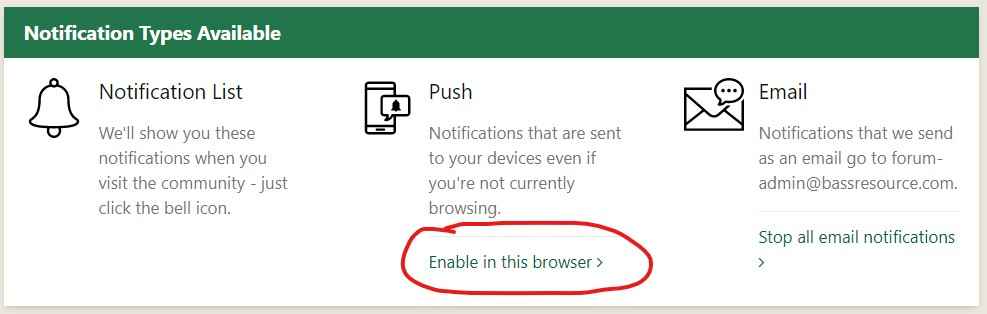
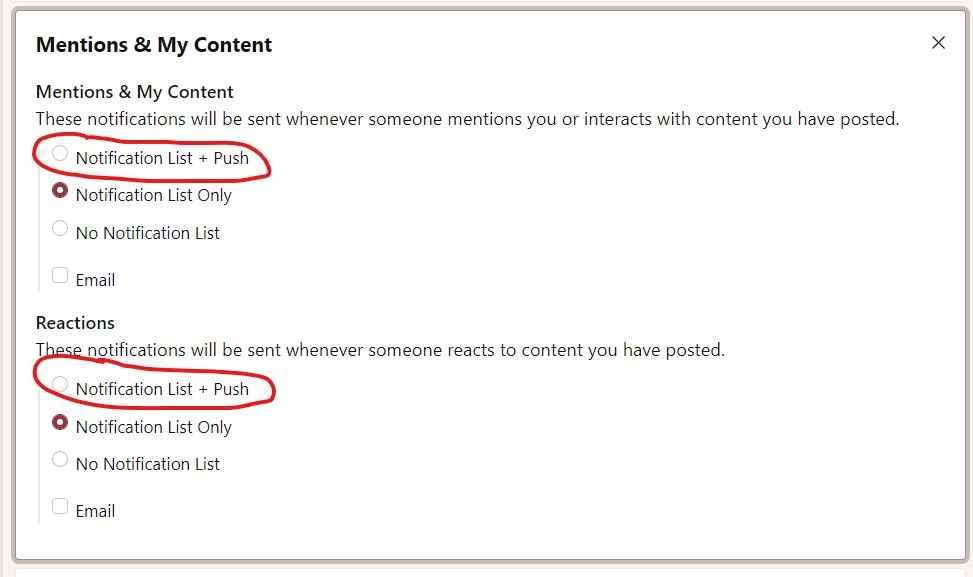
We just launched some new features! Along with over 400 bug fixes, this new release contains some great new functionality. Let's take a look at what's new. Achievements Achievements, badges, ranks, rules, gamification, whatever you want to call it, this is the most significant feature for the update. This brings a whole new level of earning and showing trust to other members. One of the overarching goals for our community is to shine a bright light on our members. Your contributions should be publicly recognized. Now with the new Achievements system... we can! We’ve dreamed up innovative actions to publicly recognize members who show up and participate in meaningful ways. Points and badges are awarded based on conditional Rules! Here’s what you need to know... Points Our Achievements Points system keeps a running tally of Points. Members may earn Points in a multitude of ways. Essentially, it’s achieved by participating in the community. Create a topic? Points! Post a reply? Points! Follow another member? Nothing. Just kidding… Points!!! This is done through creating a point system. The Point System The point system contains actionable processes set up by me that allow you to earn points. Here are what members can earn Points for: When a... · New poll is created · Member logs in 5 days in a row · Comment/reply is posted · Member votes on a poll · Member is followed · Post is marked as best answer Badges Actions earn Badges. For example, you're rewarded with a Badge for providing more than 5 "Best Answer" posts. Once you reach 5 "Best Answers", the Achievements system will automatically award you a ‘Helpful' Badge. More badges may be added later. Ranks With this update, we’ve updated our Ranks system to communicate with Achievements. Different Ranks based on how many Points a member earns. Ranks display a members’ perceived value to the community. The higher a members’ Rank, the greater their influence because the more they’ve participated. Ranks are currently for prestige at the moment. There’s a lot of information to absorb here, but if there’s anything to take away from this is this: It creates an immersive and elevated experience for our members. And hey, who doesn’t love to earn? Solved Content Improvements For a long time, we have supported a Question and Answer mode within the forums which allows a reply to be flagged as the "best answer" to the question posed. With the last release, we also introduced a way to allow topics to be marked as "solved" which introduces similar functionality without transforming the look and feel or other behavior of the forum itself. Based on the popularity of this new addition, we have made some further improvements to solved topics and answered questions in our next release (yes, we fixed the pesky problem of knowing which of your posts were marked as "best answer". Read on….) Notification to topic/question starter While notifications were available to the poster who answered a question or solved a topic with the last version, this release also adds notifications for the topic or question starter so that they can be made aware that an answer is available to their question. In English: Question starters and the member who posted the answer now get notifications for solutions Member profile enhancements Member profiles now show the number of solutions the member has posted, and also allows you to view all of those solutions, in a manner very similar to reputation. These improvements should help reward the most helpful members on our community by giving them more prestige and helping other users find their answers quicker. Collectively, we hope that these changes make the question and answer and topic solution features in the Forums more useful for you. Web push notifications, native sharing & offline support Let's take you through some improvements for using the BassResource forums on a mobile device. Web push notifications For some time, we've used the local browser notification API to show members notifications. There's a big drawback though: you had to have the site open in a tab for these to work. This is particularly problematic for mobile devices. In this update, we've added support for the WebPush API, which allows you to push notifications to your browsers & devices even if the site isn't open - or even if the device is asleep. Choosing push notifications For you, it's a simple process. You will be prompted to accept notifications from the site when you open the notification list dropdown, or you can opt-in any time from the notification settings screen. To access that screen, click your name in the upper left, then "Account Settings". On the following screen, look to the right and click "Notification Settings". Scroll to the bottom until you see this: After accepting (click "Enable in this browser"), you will be able to choose a "Notification List + Push" option for any of the available notification types listed on the "Notifications Settings" page accessed above. Push notifications enabled Existing members, who may have already granted permission to the site in the past, will be re-prompted to accept push notifications upon logging in after the upgrade (you may have already seen this prior to reading about it here). Push notifications typically show on the homescreen of a phone or in the notification tray of a desktop computer, so receiving dozens of notifications could be overwhelming. For that reason, BassResource will automatically merge related notifications - for example, multiple mentions from the same topic, or multiple new topics from the same forum. And, of course, members can stop push notifications across all of their devices with a single click if they want to opt out. We're excited about push notifications, since they allow you to immediately know about activity you're interested in, even when you aren't currently on the site - a job previously left to email alone. On the subject of notifications, one more thing: we've heard your feedback about notifications for new replies/mentions being merged with notifications for likes/quotes, and are now separating these two types into their own permissions in this update. We're acutely aware that making notifications annoying results in members turning them off, so we're always looking to ensure there is a reasonable balance. Splash Screen Images When you add a website to your phone's desktop, it appears like a native app. Tapping to launch the site can show a blank screen for a few seconds while the website is loaded. Fortunately, you will now see a 'splash' image which is shown when launching the app. Sharing using native share options Another enhancement is the addition of the device share sheet when sharing content from within the forums. Members will now see a "More Sharing Options" button (providing their device/browser supports the underlying API) which, when tapped, will open the device share sheet. The options available depend on the device, but typically include actions like sharing links in WhatsApp, posting to Facebook or creating a note. Offline support With a larger share of members now using mobile devices for most of their browsing comes the problem of patchy phone signal and internet connections dropping out. For a dynamic web-based platform like ours, it's difficult to offer much in the way of full offline support, but now we will present a branded offline page to members when they have no internet connection and try to access the community. Highlight Topics With Replies From Groups When you're scanning a list of topics, it's helpful to know when a community team member has replied, as these replies tend to have more authority and are more likely to provide meaningful information. Wouldn't it be great to know if a staff member had replied to a topic before you clicked to open it? When you're scanning a list of topics, knowing which have had a reply by a member of the community team can help decide which to read. Previously, you needed to open the topic and scan the posts to see if there's a reply from the team. Happily, we've made it clear which have had a reply by a member of a specific group. When viewing a list of topics, you will see a badge showing that a member of that group has replied. To that end, I've created a new "Super User" group for members with more than 2,500 posts. You'll see this new group included in the highlights mentioned above. This simple feature will make it easier to highlight when important replies have been made to topics. I hope you enjoy these new improvements. Thanks!! Glenn

-
Meh, I've seen worse here. I can remember a summer when they actually rationed water and prohibited watering lawns and washing cars. This is just a little dryer than usual, but certainly not a record. I'd much rather be warm than dealing with compact ice and snow on the roads.
-
-
-
Welcome home!
-
-
Welcome home!
-
Even Hank Parker gets one every now and then...
-
I'm getting a lot of feedback along the lines of, "Why did you do that?! You told everyone about my secret lure!!"
-
You should connect with the Ladies Bass Angler Association (https://www.ladybassanglers.com/). It's an all-woman professional bass circuit that often visits your lake. A lot of great ladies fish that circuit. It's awesome you want to sponsor them!
-
Why yes we DO have several articles about tagging bass on private ponds! Great reading for those that want understand the benefit of it. https://www.bassresource.com/fish_biology/tagging-fish.html https://www.bassresource.com/fish_biology/tagging-bass.html https://www.bassresource.com/fish_biology/radion-tagging-fish.html https://www.bassresource.com/fishing_lures/fishtagger.html
-
Yup, I'm talking about the Reaper - another "old school lure" that works extremely well under certain conditions, yet you don't hear anyone talking about it these days. I tell you all you need to know in this video.
-
Ladies and gentlemen, Tangent Airlines has now departed...
-
Scary thing is....I understood him. LOL!
-
Preseason is kinda fun for both NFL and college. Everyone is hopeful and all the players are healthy.Use Please Release Me formula on bleeding fish. It's specifically formulated for use on injured fish. Not only does it stop the bleeding, but it also contains anti-bacterials and other helpful ingredients to help give the fish a fighting a chance and keep them alive. It costs about the same as a few energy drinks and does a substantially better job of keeping them alive for your weigh-in. Just put a capful or two in your livewell and you're done. Easier to use and no need to pour out your energy drink anymore. You're welcome.^^ This ^^ These days, there is no single, all-purpose universal line. I don't think I've used only one type of line on all my reels since the '90's.Ouch! But good for the Hawks since that's their season opener.Actually, no I won't. I don't have any agreement at all with Johnson. It's just something I wanted to make a video about. Just sharing knowledge.






Important Information
We have placed cookies on your device to help make this website better. You can adjust your cookie settings, otherwise we'll assume you're okay to continue.