Skip to content

Finally dialed in my UHD 7sv

Featured Replies

Been searching posts, reading here, and also watching youtube videos...and I finally got my Garmin Echomap dialed in better. The GT54 transducer is strapped to my old Minn Kota 40lb cable steer trolling motor I purchased 20 years ago. 


Wasn't seeing much of anything in the side view...and getting lots of false readings on traditional and ClearVü. Out of the box settings were garbage...and many of the videos weren't giving me much help either.


Yesterday I started adjusting and working through the menus. I was able to get good imaging running #3 power on my Minn Kota, averaging just over 1 MPH. Very cool!


image.jpeg.a9223509955012e2accb141672e6c8e1.jpeg


I've never been able to find beds...until now! 


image.jpeg.1e5f39933fbc3896955e0358e6a4530d.jpeg


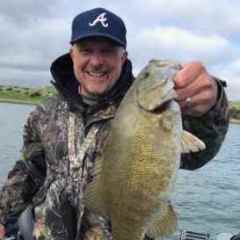
Caught ~20 yesterday, and another 20 bass today. 

  • Super User

Looks good. 

  • Super User

I am in same stage with my germane 4" for float tube ?. I spent more than half of my time face to my fish finder and playing with settings. Now I got anchor so I can stay in hot spot to fix my settings.

Please share what settings you used! 

  • Author

Sideview 1120 kHz

Interference = Off

TVG = Low

Contrast = 73%

Brightness = Auto Low

Join the conversation

You can post now and register later. If you have an account, sign in now to post with your account.
Note: Your post will require moderator approval before it will be visible.

Guest
Unfortunately, your content contains terms that we do not allow. Please edit your content to remove the highlighted words below.
Reply to this topic...

Recently Browsing 0

  • No registered users viewing this page.

Important Information

We have placed cookies on your device to help make this website better. You can adjust your cookie settings, otherwise we'll assume you're okay to continue.

Account

Navigation

Search

Search

Configure browser push notifications

Chrome (Android)
  1. Tap the lock icon next to the address bar.
  2. Tap Permissions → Notifications.
  3. Adjust your preference.
Chrome (Desktop)
  1. Click the padlock icon in the address bar.
  2. Select Site settings.
  3. Find Notifications and adjust your preference.