Skip to content

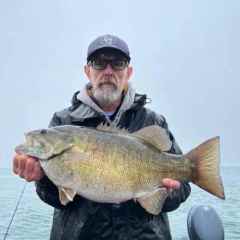
Photos never lie or check your scale

Featured Replies

  • Global Moderator
5 hours ago, jbsoonerfan said:

I don't know what a Milliken or a Zark is, so I will take you guys word for it on those. :) 

Googan Squad Lite

  • Super User
Just now, Bluebasser86 said:

Googan Squad Lite

Now you are really going to confuse me. I still am not 100% sure what/who a Googan is.

On 2/22/2021 at 5:57 PM, jbsoonerfan said:

I don't know what a Milliken or a Zark is, so I will take you guys word for it on those. :) 


On 2/22/2021 at 11:41 PM, Bluebasser86 said:

Googan Squad Lite


On 2/22/2021 at 11:42 PM, jbsoonerfan said:

Now you are really going to confuse me. I still am not 100% sure what/who a Googan is.


Be thankful @jbsoonerfan, be thankful.


To me at least the googans(group) have the young and still immature lame excuse to fall back on.

milliken's the mid thirties guy, still trying to be 19 and cool


Both internet fishing successes and very good at what they do on youtube

  • Super User
On 2/22/2021 at 5:57 PM, jbsoonerfan said:

I don't know what a Milliken or a Zark is

Here you go


  • Super User

Where are the big fish? Different video?


Those guys are some D Bags!

  • Super User
8 hours ago, jbsoonerfan said:

Where are the big fish? Different video?


Ridiculous


Mind Reaction GIF

  • Global Moderator
8 hours ago, jbsoonerfan said:

Those guys are some D Bags!

Just like the scale, the video doesn't lie

On 2/21/2021 at 2:52 PM, Scott F said:

When you straight arm a fish for a photo, you can expect to be questioned about the weight. 

Ya when people do that it takes away from the size of the bass. 

  • Global Moderator

Well this was fun and all but it's spiraling downhill fast. If you want to watch the videos, they're not hard to find.


LOCKDOWN!!

Guest
This topic is now closed to further replies.

Recently Browsing 0

  • No registered users viewing this page.

Important Information

We have placed cookies on your device to help make this website better. You can adjust your cookie settings, otherwise we'll assume you're okay to continue.

Account

Navigation

Search

Search

Configure browser push notifications

Chrome (Android)
  1. Tap the lock icon next to the address bar.
  2. Tap Permissions → Notifications.
  3. Adjust your preference.
Chrome (Desktop)
  1. Click the padlock icon in the address bar.
  2. Select Site settings.
  3. Find Notifications and adjust your preference.