Skip to content

Bass Fishing Memes ***PG ONLY***

Featured Replies

  • Replies 1k
  • Views 288.7k
  • Created
  • Last Reply

Top Posters In This Topic

Most Popular Posts

Posted Images

  • Super User
2 minutes ago, NorthernBasser said:

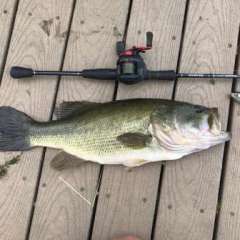
*Disclaimer- I would never keep a bass, but if you do, that's you're right* ?


iZunj7M.jpg


True, Thats me.

  • Super User
2 minutes ago, ATA said:

True, Thats me.

Same here. Like I said, it's the person's right, so I would never say anything to anybody if they choose to eat their catch.. But when I see someone post a pic of their sink with a bunch of bluegill and three 19"+ bass, my blood starts to boil. Haha..

  • Super User

Some people need help loading their boat!


FB_IMG_1656967461225.jpg

A little rough but probably true for some.


293128071_180493887710100_6646583722571949089_n.jpg

  • 2 weeks later...
  • Super User

FB_IMG_1658957990179.jpg

  • Super User
1 hour ago, Catt said:

FB_IMG_1658957990179.jpg

Even my wife got a laugh out of this one.

DF814297-5AD6-4119-A5DA-89BF86301A63.jpeg

Screenshot_20220814-103855_(1).thumb.png.625fae231bbdb6136ec3a8624a700056.png

D374C4A3-005A-4405-AFD2-6894939F9148.jpeg

  • Super User
On 8/4/2022 at 1:55 PM, Tatulatard said:

Screenshot_20220804-135255_Gallery.jpg

Yep , All my rods are like that and I use Big Game . 

  • Super User

This one is great.


Allen FB_IMG_1660610367990.thumb.jpg.bad9621b189c96b559d3cf1615f7a8e6.jpg

Join the conversation

You can post now and register later. If you have an account, sign in now to post with your account.
Note: Your post will require moderator approval before it will be visible.

Guest
Unfortunately, your content contains terms that we do not allow. Please edit your content to remove the highlighted words below.
Reply to this topic...

Recently Browsing 0

  • No registered users viewing this page.

Important Information

We have placed cookies on your device to help make this website better. You can adjust your cookie settings, otherwise we'll assume you're okay to continue.

Account

Navigation

Search

Search

Configure browser push notifications

Chrome (Android)
  1. Tap the lock icon next to the address bar.
  2. Tap Permissions → Notifications.
  3. Adjust your preference.
Chrome (Desktop)
  1. Click the padlock icon in the address bar.
  2. Select Site settings.
  3. Find Notifications and adjust your preference.